Category Archives: Leadership Perspective

WRDSB Futures Forum Program Wins Award

Celebrating an Amazing Journey

Five years ago, a small group of WRDSB staff (Mary Lou Mackie, Mark Harper, Kim Keena,  Jim Woolley and I )  began meeting with local community business leaders who were members of Communitech to discuss the classroom of the future.  Although no specific classroom design was agreed upon, general conclusions centred around what is now thought of as the key C’s: communication, collaboration, creativity  and critical thinking.

Discussions continued with students, and then the WRDSB team enrolled as team in a Powerful Learning Practice cohort to continue our learning and thinking about the possibilities. Bill Lemon, Harry Niezen and Ken Whytock served as the lead implementation to look at needs in the areas of  curriculum, assessment, technology, staff training etc.  The results of the implementation team are captured in this blog post.

Since the Futures Forum program has gone live, there have been continued successes and gradual expansion of this program. Now, in 2013, the program is running in all secondary schools, with multiple classes timetabled in each school.  The approach has had spin off benefits such as the Innovate program at Forest Heights C.I.  Research gathered to date has shown that this approach to learning is producing results that are statistically  significant.

The Futures Forum project was recently recognized  for innovation by Solution Tree.  I wanted to publicly congratulate all the central staff, school administrators and teachers that have been a part of bringing this vision to life.

Additional Information

Solution Tree Photo

Futures Forum video

Official WRDSB announcement

~Mark

WRDSB Student Voice

Each year, I look forward to opportunities to interact with our WRDSB students and have conversation about technology, learning and Board plans etc.  My recent meeting with our student trustee group yielded some fantastic discussion, so I thought I would share a few highlights in this forum.

The trustee group submitted some questions ahead of time to create a framework for our discussion.  They were interested to know more about:

  • differentiated access to resources
  • the need for wifi login
  • software licensing
  • ITS department projects for this year and Board directions

After addressing their questions, we opened up the floor to additional questions from the student trustees.  This lead to a wonderful discussion which brought together a number of interconnected ideas.  I was very impressed that students were well aware of the need to manage their privacy online. Through our discussion we extended this to managing one’s online identity and reputation.  I encouraged the students to see how ‘Googlable’ they were. Would their online reputation precede them?  As a self reflection, do they choose to use social media, communication and collaboration tools for positive purposes? – and what might they change in their typical actions? After all, “the net does not forget”.  Digital citizenship is something that must be lived, a way of being. I also took the time to talk about the expectations defined in the WRDSB Responsible Use Procedure.

In the final portion of the meeting, I was given the opportunity to ask the student trustee group questions. I chose to ask one question: Given the changes that have been achieved over the last 4 years ( access to more resources including social media and collaboration tools, wifi in all classrooms, BYOD, improved internet bandwidth etc. ), what has been the impact to their learning?
The students were very frank and open with their responses.  I have captured a few highlights in the list below:
  • extremely positive feedback on the establishment and expansion of the Futures Forum Project
  • learning and engagement is improved through blogging and collaborating online
  • like to be able to use their phones in class – looking up information in the context of a discussion is beneficial
  • excellent class projects through the use of wikis
  • technology affords many forums for peer help
  • social media tools keep students connected and focused, engagement is up
  • web based teacher resources very helpful (blogs, wikis etc.)
  • the 4 any’s: learning anytime, anywhere, anyone and anything
  • easier to work and organize electronically, paper just does not work well
  • online connections (community) is very beneficial
  • use of Facebook groups and web (fan) pages very helpful – easy to connect, collaborate and stay up to date
  • the type of environment we have created helps prepare us (students) for post secondary learning
What Next:
  • continue to promote teachers as risk takers with technology
  • continue to build more capacity for technology use (reduce fears in using technology)
  • encourage teachers to learn from students too
Finally, I was impressed that a number of the students present were aware of the learning strategy of the “flipped classroom”. My sense is that this approach was seen as beneficial in many learning situations. It was hoped the WRDSB teachers were open to exploring the benefits of this approach.
I extend my thanks to the WRDSB student trustee group for such a great conversation about technology enabled learning. I look forward to my next session with group.
~Mark

The ConnectED Leaders Weekly: 1st 1/4 highlights

I am celebrating 3 months of publishing the ConnectED Leaders Weekly by sharing a some highlights of each issue.

Issue             Article

Aug. 31, 12   What if you flipped your staff meetings?

Sept. 7, 12     Technology Enabled Learning: leadership, change and capacity building

Sept. 14, 12   Start the year by teaching search

Sept. 21, 12   The most powerful word in leadership

Sept. 28, 12  Strong School Leaders Key to Solving Digital Age Education Challenges

Oct. 5, 12      7 Ways to Transform Your Classroom

Oct. 12, 12    Principal evaluation systems, do they help us grow?

Oct. 19, 12   Classroom Strategies to Foster a Growth Mindset

Oct. 26, 12   How Twitter is reinventing collaboration among educators

Nov. 2, 12    Technology Resistant  and  Parent Teacher interviews Ms. J. Weir style

Nov. 9, 12    Schools are using social media to involve parents

Nov. 16, 12  Write Now

Happy Reading!

~Mark

ECOO12 – BYOD Panel Discussion

At the recent ECOO12 Conference held  Toronto ON, I had the opportunity to co-host a panel discussion with Ed Doadt, principal at Waterloo Oxford District Secondary School. The panel discussion, which was scheduled at Friday October 26th, 2012   9:45 a.m. – 10:45 a.m.  (EDT), focused on the topic of “bring your own device” to school (K-12). The panelists covered a broad range of roles from school administrator, CIO (IT), teacher, student, and Education Officer.

Panelists (listed in seating order)

  • John Shanks, UGDSB
  • Urs Bill, Ministry of Education
  • Tim Hawes, OCDSB
  • James Bond, WRDSB
  • Liz Arbuckle, WRDSB
  • Charlotte Carbone, WRDSB
  • Lisa Unger, UGDSB

Guiding Questions for the discussion

1. Panel Intros: name, role, where is your organization re BYOD  0=leave device at home, 10 = widespread use by students and speakers

2. All – biggest pro, biggest con OK

3. All – Responsible use, digital citizenship promotion

4. IT comment – privacy, infrastructure, bandwidth, some – device management

5. All – How do you feel about open device testing? Where do you see this going?

6. Admin, Student – What skills do you look for in a new hire?

7. Time permitting, audience questions/comments

8. Wrap up

Resources

The session was well attended, the discussion interesting and the audience participation in the back channel was great!  Resources from this session are linked below.

BYOD panel discussion audio recording from the Quest Radio 1-24  broadcast.
BYOD panel discussion  participant back channel transcript   from  www.todaysmeet.com

~Mark & Ed

Resources for PLP Live

Resources for PLP Live

TPACK: Technological Pedagogical Content Knowledge

From Idea to Reality

Administrator Perspective

From the Field: Educators in Action

I'm a PLPeep!

~Mark

Technology Enabled Learning: Leadership, Change, Capacity Building

Last week I connected with WRDSB Principal James Bond to have a conversation about his learnings over the last year with the major tablet initiative in his school. We had a great discussion, and James agreed to me writing this blog post based on our conversation.

I kicked off the conversation with a few questions to frame our discussion.

1. How do you see the role of the principal in terms of leadership in the area of technology enabled learning?
2. What were the key ingredients to building capacity among the staff?
3. How did you approach changing what was the norm in your school?

Shift

Shift takes a lot of effort, and you have to be prepared to work hard to move towards the desired result. Another important aspect is respect – respect that teachers, just like students, are a continuum of learning. The school leader can support teachers learning at their own level and setting obtainable growth targets. It is helpful to help people see the benefit in change. They have to want to invest the time and energy required. Support staff in conquering their techno fears – let it go, don’t focus on it. In today’s world, the students may very well know more about the ‘web world’, but that is OK. Teachers need to learn how to leverage technology to improve student learning, not know absolutely everything about it.

Role of the School Leader

The role of the school leader is multi facetted in bringing technology enabled learning alive in the building. Some ideas that made a significant difference with the staff were:

  • learn with your staff, role modelling is important
  • create a culture of learning and sharing among staff (note: over time, staff build the capacity to support each other)
  • share successes teacher to teacher, take pride in “look what I did” – seeing makes a difference.
  • staff meeting activity: share one thing you learned from another staff member
  • set up a staff tour – have each teacher show one way they used technology to support and improve learning
  • work with the staff to make it as easy as possible for teachers to try things
  • Examples: mount smart boards – less messing with cords and set up, purchase document cameras for each room to avoid moving/setup
  • support the acquisition of technology through all suitable avenues
  • consider the impact of radical change vs. gradual change with continued success
  • create the right culture: There will always be new tools and new technology. Is it always about student learning.

Instructional Practice

Technology enabled learning must be built on instructional excellence. Consider the change, pedagogy and technology elements. Staff may be a bit uncomfortable, but should not be totally overwhelmed with technology.  In the end, technology well used is almost invisible in the learning process. A great place to start with technology enabled learning is connecting use to our Board identified high yield instructional strategies and the school success plan. Make a point of sharing successes. Teachers talking to teachers is an important part of the process.

Ideas Going Forward

Thinking of the system perspective, we need to find better ways to celebrate technology enabled learning and raise awareness. Seeing makes a difference. It is important to keep creating opportunities to share. Perhaps leveraging area meetings and leveraging opportunities through family of schools meetings is one avenue.

Other Resources

Follow James on Twitter
James’ Blog
Park Manor School
Learn more from James’ session at ECOO 2012

~Mark
Cross posted to Ontario ConnectED Leaders and VoicEd.ca

PLP Live: PD to make a difference

Join me at #PLPLive12a full day of educational SHIFT, issues that matter, 9 inspiring keynotes.

When: 9/28

Where: in Philly.

Check details at PLP Live.

PLP Live 2012 - Friday September 28 - Philadelphia

CATC Camp 2012

Each summer, for the past 21 years, the Waterloo Region District School Board has run a 3 day self directed, professional development session focused on technology enabled learning. The event is known as  CATC By the Water. CATC is our acronym for Computers Across the Curriculum. In our Board, CATC is part of the language and culture.

We had a lot of positive feedback on the framework provided to start the day, so I thought I would share a few highlights here.

Framework Overview

Welcome to CATC Camp 2012 and a special welcome to new campers this year. You are in for a great 3 days. What makes this great is that you are in charge of your own learning and we have an awesome facilitator team to support you. I wanted to touch on a few points to provide a framework to help you keep your thinking and learning aligned with Board goals.

  • a new strategic plan will be released in the fall, with technology enabled learning being one of the focuses
  • one aspect of this is a large expansion of the formal Ministry of Education e-learning courses
  • Ministry of Education  blended courses will also be offered
  • the Futures Forum project will be expanded in each secondary school
  • we will embrace online writing projects in grade nine English programs
  • a draft document outlining success steps for a 5 year digital learning plan has been initiated

What do we mean by technology enabled learning? 

  • technology as a natural part of the learning environment (not ‘over there’)
  • usage to support and improve learning, not teaching technology for technology’s sake
  • aligned use of technology with our main suite of products (blogs, wikis, GDocs, FBk, Twitter, YouTube, OSAPAC, Desire2Learn)
  • instructional uses of technology that align with our identified 5 high yield strategies AND communication & collaboration
  • consideration of the 4 any’s: anytime, anywhere, anything, anyone learning
  • student engagement
  • authentic audience
  • consideration of TPack (Technology, Pedagogy and Content) – finding the sweet spot

To this end, the recently passed (June) Board budget included funds for mobile equipment for each school and additional classroom supports. We will establish a plan to address wifi in portables over the next 2 to 3 years, and start to address this need during the 2012/13 school year. Related internet and infrastructure upgrades are under way to support student learning and achievement.

Things for you to consider as you learn:

  • familiarize yourself with the new Responsible Use Procedure (RUP)
  • consider how you will role model ethical use of technology for your students
  • determine how will you promote digital citizenship within your classroom
  • now that we have wifi access in all school instructional areas, how will you leverage this in your classroom?
  • how will you use both desktop and mobile devices available in your school?
  • have you thought about taking advantage of BYOD?

Spend some time pondering possibilities. Thank you for being here. Have a fantastic learning experience.

~Mark

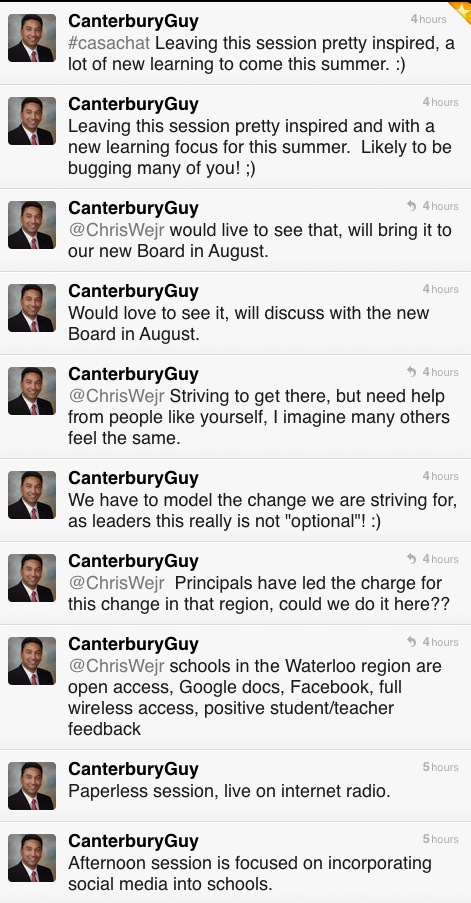
CASA Chat: Social Media in the School Community

CASA Conference Presentation Resources

Overview: This presentation covered the use of social media tools in the Waterloo Region District School Board as things are now. Time was also spent talking about the journey and the challenges.

Video Samples from the presentation:

Twitter
Facebook
Edmodo
Student Perspective
Student Trustee
Teacher Perspective
Principal Perspective

Comments from Twitter

Q&A from Today’s Meet backchannel (originally hosted at http://www.todaysmeet.com/casachat)

Q1: Do teachers friend students?
Yes and no, some do, others don’t. Generally teachers use Facebook groups or fan pages, but
certain functions need the ‘friend’ function to work properly. In these cases, teachers set their
security and privacy settings appropriately and follow professional code of conduct expectations.

Q2: What effort is required by teachers to monitor online content related to classroom use?
This will vary depending on the context, but is done according to our Responsible Use Procedure.

Q3: Who pays for increasing bandwidth needs?
Staff in IT Services monitor usage and need on an ongoing basis. Each year this is factored into our
budget process in the IT area.

Q4: What social media content is searchable?
This depends on particular social media tool. For example, Tweets (Twiiter) are searchable, private
Facebook content is not.

Q5: Is the LMS redundant technology?
No, the LMS provides a course structure and both collaboration and social media tools are used in
conjunction to support student learning.

Q6: How does Quest Radio 1-24 work?
This Internet radio station is hosted at Caster.fm A live encoder
is needed to send personally owned content or content used with permission to the station.

Related Resources

Canadian Association of School Administrators (CASA) conference.

Social Media Drive By

Quest Radio 1-24  Programming Info Watch here for announcements regarding additional broadcasts of this session.

Join a live broadcast on Quest Radio 1-24.

Ed Doadt and Mark W. Carbone

~Mark and Ed

What? I’m not normal?

I have been debating about writing this blog post for a while. Yesterday I shared this story with @snbeach while chatting at the PLP Booth. Today, I was sitting in an ISTE workshop listening to @web20classroom (Steven W. Anderson) talk about ISTE standards and school administrators and I heard it again. With this synchronicity,  I am taking these situations as signs to write and publish the post.

The ‘it‘ I referred to was the phrase “you guys are not normal” — and now for some context.

Several weeks ago I attended a Saturday breakfast gathering with a few of our high school teacher technology leaders. Surprisingly, we talked about, well, you know, technology and a passion for transforming teaching to improve how students learn. This particular morning, the discussion focused around Google Docs, publishing, benefits of developing online texts and resources for students — 24/7 access, one stop ‘shopping’, one stop editing, no old handouts floating around, no lost papers ….. well, you get the picture. Why wouldn’t you do this? Needless to say this was a passionate discussion that stayed with me.

Later that same day I was driving in the car with my wife and she asked the magic question: So what did you talk about at breakfast?  I happily recounted the story, trying to maintain the same passion level as the morning discussion. She listened intently, and then at the close of my story commented that “you guys are not normal”. WHAT?????   OK, maybe I (and likely others) are not normal. I will ‘wear the T-Shirt’ but asked that the comment be justified – you know, a few bullets under the title to qualify the comment.

Here are the bullets:

  • you (meaning us not normal types) are self sufficient
  • you don’t panic if something related to technology use does not work properly, even in front of a class or audience
  • you know how to problem solve
  • if you can’t figure it out as fast as you think you should, you have a network of people to help you
  • it is your passion, not everyone wants to invest like this

I thought these were good points — and really, the same context of the ISTE workshop comment.  In reflection, this conversation made me think of a few important things related to moving the educational change agenda along.

  • everyone can learn how to use technology better
  • everyone can become a self sufficient user of technology
  • personal learning networks (PLNs) ARE important
  • we need to be mindful of the best entry point for using technology, and starting the learning curve of independence.
  • the learning is on a continuum
  • supporting people means thinking about gradual release of responsibility
  • empowering people is important

Now, if these ‘everyones’ and ‘we’s’ are teachers and tech support/coaches/trainers, then I think these points are all worthy of consideration as we continue to move the agenda forward. Food for thought for sure.

What does this mean for your PD planning? How will you be more thoughtful about supporting people in their use of technology? How will you help them become more independent?

Please share your comments and stories.

Related Resources
Doug —- Off the Rectord

~Mark