All posts by markwcarbone

I have 36 years experience in K-12 education. I have been fortunate to work in many different roles including teacher, department head, ICT consultant, IT Manager and CIO. Personal interests include performing in the Venturi Winds woodwind quintet, the Cambridge Symphony and the KW Community Orchestra as well as composing and arranging music. Connect, Learn, Reflect & Share - make a difference today!

Digital Learning Carousel Reflections

I had the pleasure of attending the  WRDSB  Digital Learning Carousel event today along with 400 educators and students from our Board. The event provided opportunity to share our collective insights around digital learning,  changing practice and planning next steps forward for our organization.  The carousel sessions I attended included online novel studies, innovative practices with math, inquiry approaches and the Futures Forum program.

Three aspects of the day really struck me.  The positive feedback on the interest in using Google Apps for Educators (GAFE) and the high rate of adoption on our roll out was awesome.  Secondly, I was intrigued to hear some of the educators sharing the benefits of enough technology to support small group instruction over a 1:1 approach. The ‘just enough’ model allows technology to be used as a learning support as needed while fostering opportunities for interaction, conversation and sharing.   A 1:1 approach can result in students being self focused or isolated. This feedback validates our decision to roll out our iPad program in a way that avoided convenient the “portable lab pack” allocation. Finally, so many discussions touched on the idea of the right mobile tool for the learning, teaching or assessment task at hand. I felt proud that our  IT department is deploying and supporting iPads,  Chromebooks and Windows mobile devices to support learning at WRDSB.

carousel

My Session Highlights

The online novel study group talked extensively about taking a proactive approach to digital citizenship before moving into online activities. Their approach included googling yourself to find out what is actually online, reputation management, managing your digital presence and building relationships. Tools used in this program included Google Apps for Educators, Today’s meet, blogging, skype and collaborative web page designs.  An impressive approach indeed!

In the math innovative practices session, I noted that educators were really digging into teaching collaboration skills. What does collaboration look like, sound like, feel like? “Look fors” would include accountable talk, building on the ideas of others to highlight two attributes. Digital tools used in this program included Explain Everything, GAFE, GeoBoard, Notability and iMotion.

The inquiry stream focused on the relationship of two key elements:

1.  What do students need to learn and what do I need to learn as a teacher?
2.  If I do this as a teacher, then students …

The final session featured the Futures Forum program, which I am very familiar with due to my involvement with the program. Presenters emphasized the importance of a growth mindset for both staff and students. The approach used this year involving SparKW really engaged the students in a meaningful way.

Clearly,  all of the presenters I saw today demonstrated a high level of professionalism and a growth mind set. Thank you for sharing your learnings!

~Mark

We Need Your Voice

Have your say!!!  

Tonight,  Monday May 26th (8:00 – 9:00 p.m. EDT),   you will have an opportunity to learn more about the  OSAPAC  project on  digital citizenship resources  and provide feedback to the project team.

The  online meeting room  will be open at 7:30 p.m. EDT.  If you are joining us for the first time,   please allow a few extra minutes to allow for the necessary downloads (plugins).

We look forward to connecting with you.  Please pass this invite along.  

~Mark


Connect2014 Reflections

The day I spent at  Connect2014  last week was very valuable. I really enjoyed reconnecting F2F with so many online colleagues at  Dean Shareski’s  session where he lead a two hour in depth discussion on the topic of connected learning.

The discussion was rich as educators shared personal stories of making connections, the impact of the connections in terms of learning, sharing, collaboration and changed practice – talk about POWERFUL!!!

One idea that captured my interest from the session was the idea of recording a learning or change and attributing the connection that “made it happen”.  Attendees joined forces to illustrate the power of helping people with professional learning this video which was produced that day during our time together.


Learn, connect, reflect and share !!!

~Mark

EOIT2014 resources and reflections

I enjoyed my recent opportunity to present a session on ever changing EdTech world in K12  education at EOIT2014.  Three points from the various conversations over the day captured my attention.

Limestone DSB,  CIO Wayne Toms described how becoming active on Twitter has “changed his  approach to PD forever”.   He emphasized the importance of having access to a stream of current information and thinking to shape one’s perspective underscoring the importance of connected learning.

If fact,  this coming weekend,  two Ontario based EdCamps  are happening on May 10th as per the  “Tweet captures” below.  Connected learners can participate by following  #edcampsault  and  #edcampisland.

connected_learning

EdCampSault

IT  leaders  Ron Plaizier and James Proulx  openly discussed the challenges of “all the moving pieces” – technology changing at a rate much faster than classroom practices shift and support models can be adapted.  There are no easy answers. The best strategy is to bring people together for conversation and time to play in this “change space”.  Agreed!

The third conversation focused on a notion I would call the  software “power” gap – the difference in capability when comparing a desktop application version against the corresponding web version.  This power gap differential exists in many applications.  In my view, the critical piece of this puzzle is at the intersection of  desktop > mobile, local > cloud and minimal NEEDed functionality vs extra features.  One “crystal ball” question is how long might it take to reach the ideal cloud based offering of a particular application?

I also wanted to share of few highlights from the back channel related to “What is the most important aspect of your work?”

TodaysMeetParticipants stated:

EOIT-1

EOIT-2

EOIT-3

EOIT-4

EOIT-5

Related Resources

View  presentation  file

Twitter chat for  #EOIT2014

Blog articles related to the  Futures Forum  project.

Blog articles on the  SAMR  model.

Scoop.it articles on  SAMR

~Mark


Reflections on a Collaborative Blogging Project

It was a pleasure for me  to co-author today’s blog post  with  Donna Miller Fry.   In this post,  we share our amazing experiences with the  OSSEMOOC:  30 days of learning in Ontario collaborative blogging  project.

Enjoy reading our reflections  [here].

~Mark

WRDSB Twitter Sharing 20140428

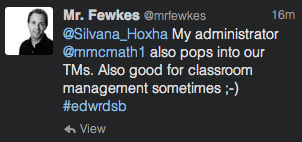
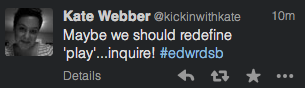
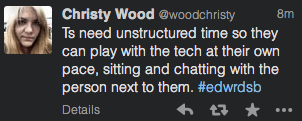
Many thanks to the participants in our  #edwrdsb  Twitter chat tonight. You can see the chat at  Storify.

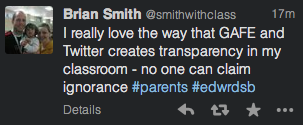
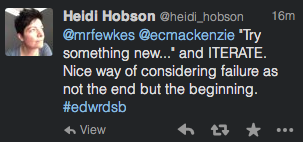
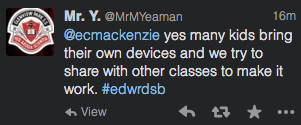
The open sharing and exchange of ideas was AWESOME.  Here are a few comments that resonated with me.

T-A28-1 T-A28-2 T-A28-3 T-A28-4 T-A28-5 T-A28-6 T-A28-7 T-A28-8 T-A28-9 T-A28-10 T-A28-11 T-A28-12 T-A28-13

I am already looking forward to our next Twitter sharing session.

~Mark

Apple TV tech tip

In large scale wifi network deployments it is often necessary to implement peer-to-peer blocking protocols in order to stop devices interfering with each other.  While this does provide a much better, and arguably safer, end user experience, the approach does restrict the use of screen sharing devices such as  Apple TV or  Chromecast.

There is good news on the Apple TV front.  The latest iOS and Apple TV software now provide added functionality which solves this challenge.  Lets zero in on the needed settings.

settings

On the Apple TV end you need:

  1. software version 6.1 with
  2. Airplay = ON
  3. Conference Room Display = ON
  4. Bluetooth = ON

and an newer  iPad/iPod/iPhone  running iOS version 7.1

This combination of devices and settings will let the  “iDevice”  connect to the Apple TV through bluetooth.  Once connected, all of the display functionality works as you would expect.

I was able to successful test this functionality in my WRDSB office.

Happy mirroring and sharing!

~Mark


Connected Learning with Grade 3s

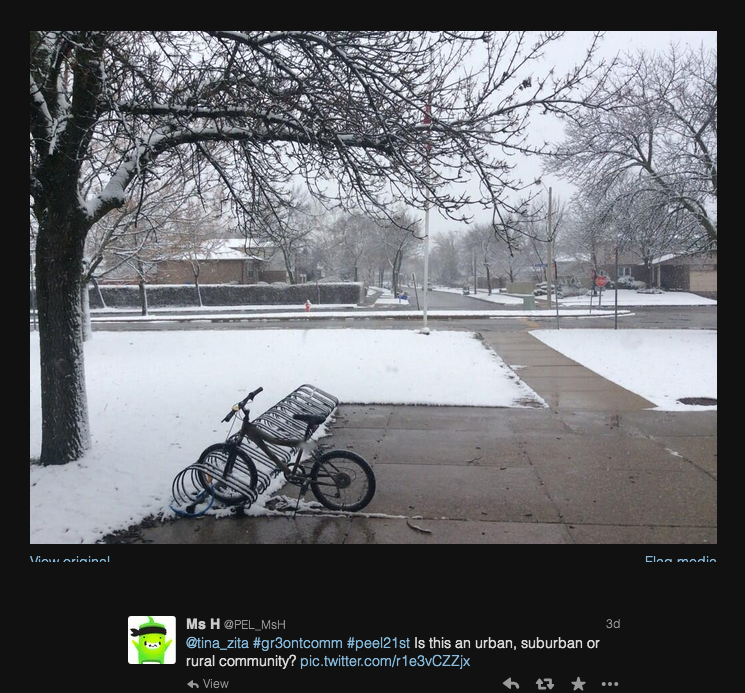
Last week I became aware of an interesting approach to learning about Ontario communities with grade 3 classes.  The  idea is  to involve people from around the province to submit picture clues about the community they live in.  The clues are shared with the students, and student responses are tweeted (posted) back through a class or teacher based Twitter account.

The project takes on another level of connectedness by using a hashtag (Twitter conversation label)  to collect all of the tweets on this topic into a searchable stream which can be viewed [ here].  What a GREAT way to bring a personal and connected context to the classroom.

I enjoyed an afternoon walk this weekend to take a few pictures to participate this week.  I wonder how many clues it might take the students to guess where I live.

Here are some sample tweets from last week.

WhereAmI 1

possible answer

WhereAmI 2

This will be a great week in the connected learning world.

~Mark

How many apps?

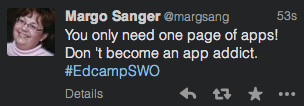
This point from the Twitter stream of  EdCampSWO resonates with me.

NoAppAddict

How thoughtful are you about choosing apps for use with your students?

Do you choose apps that support the “C’s” in a technology enabled learning environment:  Communicate, Collaborate, Create, Citizenship, Critical Questioning/Answering?   Perhaps your app choices facilitate inquiry or project based learning.

Where do you stand on app selection?  How many is too many?  What do you use as app selection criteria? I would be interested to know your ideas on this.  Please comment or get in touch via  @markwcarbone  on Twitter or  +markwcarbone  on  Google +.

~Mark

Shift: hand in or publish

Today’s blog post is a simple question to ponder that came up in an insightful conversation with Ken Whytock.

Rather than ‘handing in’ assignments  today’s students  should:

publish_button

on the web.


Please weigh in.  Share your thoughts by leaving a comment or connect with us via twitter:  @markwcarbone  and  @kenwhytock.

~Mark