All posts by markwcarbone

I have 36 years experience in K-12 education. I have been fortunate to work in many different roles including teacher, department head, ICT consultant, IT Manager and CIO. Personal interests include performing in the Venturi Winds woodwind quintet, the Cambridge Symphony and the KW Community Orchestra as well as composing and arranging music. Connect, Learn, Reflect & Share - make a difference today!

Stratosphere: The ISTE discussion

One of the ISTE sessions I hoped to attend was Michael Fullan’s presentation about his new book Stratosphere. The session seating filled to capacity  quickly and I did not make it in. Subsequently, I wanted to learn what happened at the session and am sharing the following resources related to the session.

Book: Stratosphere: Integrating Technology, Pedagogy, and Change Knowledge by Dr. Michael Fullan.

Mindshare Learning Book Review: Stratosphere by Michael Fullan

Mindshare Learning Video Interview with Michael Fullan

Tweet capture of session

Notes from Tyler Amidon

I look forward to hearing Michael’s keynote at ECOO 2012.

~Mark

What? I’m not normal?

I have been debating about writing this blog post for a while. Yesterday I shared this story with @snbeach while chatting at the PLP Booth. Today, I was sitting in an ISTE workshop listening to @web20classroom (Steven W. Anderson) talk about ISTE standards and school administrators and I heard it again. With this synchronicity,  I am taking these situations as signs to write and publish the post.

The ‘it‘ I referred to was the phrase “you guys are not normal” — and now for some context.

Several weeks ago I attended a Saturday breakfast gathering with a few of our high school teacher technology leaders. Surprisingly, we talked about, well, you know, technology and a passion for transforming teaching to improve how students learn. This particular morning, the discussion focused around Google Docs, publishing, benefits of developing online texts and resources for students — 24/7 access, one stop ‘shopping’, one stop editing, no old handouts floating around, no lost papers ….. well, you get the picture. Why wouldn’t you do this? Needless to say this was a passionate discussion that stayed with me.

Later that same day I was driving in the car with my wife and she asked the magic question: So what did you talk about at breakfast?  I happily recounted the story, trying to maintain the same passion level as the morning discussion. She listened intently, and then at the close of my story commented that “you guys are not normal”. WHAT?????   OK, maybe I (and likely others) are not normal. I will ‘wear the T-Shirt’ but asked that the comment be justified – you know, a few bullets under the title to qualify the comment.

Here are the bullets:

  • you (meaning us not normal types) are self sufficient
  • you don’t panic if something related to technology use does not work properly, even in front of a class or audience
  • you know how to problem solve
  • if you can’t figure it out as fast as you think you should, you have a network of people to help you
  • it is your passion, not everyone wants to invest like this

I thought these were good points — and really, the same context of the ISTE workshop comment.  In reflection, this conversation made me think of a few important things related to moving the educational change agenda along.

  • everyone can learn how to use technology better
  • everyone can become a self sufficient user of technology
  • personal learning networks (PLNs) ARE important
  • we need to be mindful of the best entry point for using technology, and starting the learning curve of independence.
  • the learning is on a continuum
  • supporting people means thinking about gradual release of responsibility
  • empowering people is important

Now, if these ‘everyones’ and ‘we’s’ are teachers and tech support/coaches/trainers, then I think these points are all worthy of consideration as we continue to move the agenda forward. Food for thought for sure.

What does this mean for your PD planning? How will you be more thoughtful about supporting people in their use of technology? How will you help them become more independent?

Please share your comments and stories.

Related Resources
Doug —- Off the Rectord

~Mark

Social Media: It is all about the spark

A little while ago, I had a chance to meet with Bill Lemon, Principal at Preston High School. Bill had agreed to give a perspective about students using social media tools to support their learning. As I anticipated, it was a great conversation, and I captured a great video clip to use at the upcoming CASA conference.

There were two ‘bits’ from our conversation that really stuck with me, and I have reflected on this many times since the meeting.

Bit #1 – Too many people do the ‘social media drive by’ – a quick look, a quick reaction and too often a typical “this isn’t for me”, “what can you really learn/share in such a few characters” or “who would want to get involved with these tools”.

In conversation with Bill, we agreed that the ‘social media drive by’ is a problem. The tools are in fact very deep. You have to learn the tools and spend time using them BEFORE you will understand the potential and impact of social media tools. The ‘social media drive by’ short circuits this process.

Bit #2 – The benefit of social media tools is not necessarily in the short post or tweet itself, but that one connection leads to another, a connection leads to a fact or resource and a fact or resource leads to the next. Stringing these bits together provide the impetus for learning: ideas, content, a new way of looking at something, comparisons and things to research or investigate. It is that spark that often keeps the learning moving along an individualized path that simply would not have been possible without leveraging the use of social media tools.

Lessons learned: Avoid the social media drive by and embrace the potential to make the spark that creates to impetus to learn.

~Mark

Student Voice: A visit to MsJWeir’s Classroom

I recently had the pleasure of visiting Ms. J. Weir’s classroom at WRDSB’s  Southwood S. S. to meet her students and gather some feedback about their online writing project. I was immediately struck by the calm and trusting atmosphere in the classroom. It was obvious that the students were very comfortable in this learning environment — a wonderful tribute to the teacher! The dialogue flowed freely and students were at ease contributing to the conversation.

I posed the following guiding questions to the students to facilitate our discussion regarding the project:

  1. How has writing online changed your learning?
  2. Is writing online what you expected?
  3. What would be the effect of removing the technology?
  4. Describe the pros and cons of back channelling (Today’s Meet and Twitter)
  5. What were the challenges?

The actual discussion happened in a rather free flow manner. I have grouped the responses to follow the question sequence outlined above.

Many students commented about the ability to ‘organize on the fly’ and being ‘in the moment’ when they write online because the process feels more natural.  Capturing ideas and shaping them is much easier electronically. The students also made that point that they felt more ownership for their work.

When asked question 3, the responses were unanimous: removing the technology would be a step backwards, poorer organization, less motivation and anticipated drop in achievement.

In terms of back channelling and online forums, many students commented that the variety of options to contribute to class discussions (Face to Face (F2F), EdmodoToday’s Meet and Twitter) enriched the discussion, drew more students into the conversation(s) and created a much stronger sense of community within the class.  The students all indicated that having the comfort level to participate was a key ingredient to their learning.

In the area of challenges, a few things were identified.  Access to resources is dependent on a wifi connection. We talked about the importance of wifi reliability and high levels of up-time.  I was impressed by the fact that the iPads used for this particular project were set up with a small number of key apps that were aligned with class needs and learning goals.  This was a welcome observation on my part as people often become app focused rather than learning focused. Well done! Students also talked candidly about the need for a level of self discipline. Having wifi enabled devices in the classroom certainly support student learning, and a more personalized component to the learning. Yet, the potential for distraction is still there — it must be managed.

I found this to be an excellent classroom visit. I appreciated the candid conversation with  Ms. J. Weir’s class. The approach to learning in this classroom needs to be shared and replicated.

Related Resources

Ms. J. Weir’s Blog

~Mark

OASBO Workshop: Apps for iPad

At last week’s Ontario Association of School Board Officials  (OASBO) conference, I had the pleasure of presenting a demonstration of iPad apps with Mary Hingley and  Wayne Toms.  As promised to our workshop attendees,  I am posting the list, and links to, the apps that were demonstrated on behalf of the presentation team.

Personalized Magazines

Note Taking and Storage Tools

OSAPAC

Phone Alternative

Related Resources

iPad writing tools

~Mark

Skinny Down Your Technology

The other day I was reviewing some draft system communications with @maryhingley and she commented that we should “skinny this down” to a cleaner more streamlined document.  While the comment regarding the document  we were reviewing was bang on,  it also made a connection for me to an earlier conversation that day about the constant evolution of technology tools. The context of the technology tools dialogue was around the challenge of building capacity in teaching when the tools evolve so quickly.

Fact:  We are all on a continuous  learning curve, new technology,  new apps, new potential to improve improve learning. There is certainly plenty of discussion around the notion of welcoming teachers with this new ‘technology enabled learning’ world – online, web 2.0, anytime, anywhere, digital, shared documents, authentic audience (etc.).

As we become more thoughtful about professional learning, determining the best point(s) of entry and consider learning continuums for staff, there is a greater realization that it is too easy to overwhelm.  People need safe and doable entry points with high success rates.  The fact is, people do not need 100’s of tools to start on their journey.

Challenge:  a call to experienced teachers using web 2.0 and social media tools – skinny down your tool list

Categorize the software, apps and web 2.0 tools you use into the following categories:

a) must have, use daily, addresses some important need

b) use regularly (a few times a week but not daily)

c) once in a while (a few times per month)

d) tried it, don’t use it regularly at all

Skinny down your list and share your suite of must have tools in this google doc.  Include your name, twitter ID, blog/web site and must have list.

Thanks in advance for sharing.

Related Resources:

I just can’t imagine teaching without ….

Cross posted to VoicEd.ca

~Mark

OntCL Twitter Chat Highlights from 20120404

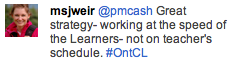
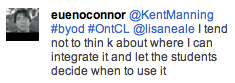
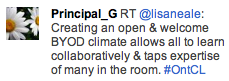
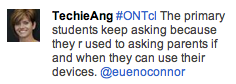
Highlights from the 20120404 Ontario ConnectEd Leaders chat on Bring Your Own Device (BYOD) for learning.

Additional Resources

OntCL Twitter Chat Stream

Keep leading and supporting change!

~Mark

OntCL Twitter Chat primer

On Wednesday April 4th, the Ontario ConnectED Leaders will host their monthly Twitter chat at 8:00 p.m. (eastern daylight time). The topic will be BYOD: leveraging the benefits, getting ready.

Here are a very resources that might help prepare you for the chat topic. I hope to see you in the Twitter chat. Join in with hashtag #ontcl

Leveraging the ‘Instrumented’ Pocket & Backpack by @lisaneale

Intel: Teachers Engage

BYOD in primary

BYOD: What’s in a device?

From Scoopit: A Principal’s memo

From Scoopit: Using student owned devices in the classroom

Chat with PLP’s Periwinkle

~Mark

Note: Cross posted to OntCLC.ca

Two Years, One change

The question: Imagine one change in our education system that you feel would be both valuable and “do-able” in the next two years was posted on the VoicEd website, featuring voices in Canadian education. I have cross posted my thoughts on this question here and on the  VoicEd Blog

This is a great question to contemplate. After mulling this around for a few days, I keep circling back to 2 points.

1. How online engagement has changed my own learning and professional growth.

2. While the ideals of education and the qualities of graduates that should be produced by an educational system have, and may remain constant for the foreseeable future, what HAS changed is tools available to support learning and personal growth.

There is growing and strong evidence that students should be online for valuable and positive learning reasons: write, reflect, share, collaborate and establish, cultivate and maintain an appropriate online profile and participate in learning that involves an authentic audience.

Educators need to develop their own personal learning networks beyond their own schools and districts. Educators must experience learning in the same way our students should by role modelling: learning and collaborating online, sharing, reflecting and leveraging the tools of NOW.

This is the world in which we live – a technology enabled world. We need to leverage this to address critical questioning and thinking, engagement, collaborating in a more global sense and writing for a real world audience. Educational experiences need to be personalized and address the ‘anys’ – anytime, anywhere, anything learning for anyone.

As one considers the challenges of moving through stages of change: from the explorers, to early adopters to adoption by the masses and applying the educational context, I think this important shift is for everyone in education, not just the ones who choose this path. The path forward must include being online and connected.

My ‘one change’ would be for Boards of Education to establish personal growth frameworks to engage educators in this environment within the next two years.

~Mark

Note: Cross posted to VoicEd.ca

OASBO IMPAC: The Cloud meets K12 Learning

I was invited to speak, along with Todd Wright and  Bill MacKenzie, at the March 30th OASBO IMPAC committee meeting on the topic of cloud computing and K12 education. My task was to kick off the session with a cloud computing 101 session. Todd (YRDSB) and Bill (UGDSB) followed with their Board’s experiences with online office suites. Their conversation framed the benefits of using online office suites as key tools in writing and collaboration.  Using tools of this type need to have good back end functions to make them worth while for teachers: ease of login (active directory integration), class management tools, the ability for the board to manage both the accounts and content as needed. Built into the strategy are the advantages of learning in the real world with an authentic audience.  The need to teach, embrace and role model good online ethics and digital citizenship were also highlighted.

Part of our role today was to set the stage for the important discussion of privacy and information management as it related to online student learning:

  • legal requirements
  • informed consent
  • protection of personal data
  • teaching students best practice for operating in these environments
  • training staff about the types of data suitable for authoring and storing in the cloud
  • raising awareness
All in all today’s session was a great conversation, with good discussion and excellent questions being asked and explored.  Finding that balance between legal, practical and leveraging the strengths of these online authoring and collaboration tools will be the goal as the IMPAC group looks at guiding the creation of appropriate board policies and/or guidelines.

My slide deck and presentation audio file are available below for your reference.


Presentation Voice File

Other Resources:

Google Terms of Service for Education
How iCloud Works
Evernote
Dropbox
Calgary DSB Web 2.0 Guidelines
UGDSB Cloud Video (youtube)
Google Security Video
IPC: Privacy in the Cloud
Learning in public online

~Mark