Category Archives: 21st century learning

CATC Camp 2012

Each summer, for the past 21 years, the Waterloo Region District School Board has run a 3 day self directed, professional development session focused on technology enabled learning. The event is known as  CATC By the Water. CATC is our acronym for Computers Across the Curriculum. In our Board, CATC is part of the language and culture.

We had a lot of positive feedback on the framework provided to start the day, so I thought I would share a few highlights here.

Framework Overview

Welcome to CATC Camp 2012 and a special welcome to new campers this year. You are in for a great 3 days. What makes this great is that you are in charge of your own learning and we have an awesome facilitator team to support you. I wanted to touch on a few points to provide a framework to help you keep your thinking and learning aligned with Board goals.

  • a new strategic plan will be released in the fall, with technology enabled learning being one of the focuses
  • one aspect of this is a large expansion of the formal Ministry of Education e-learning courses
  • Ministry of Education  blended courses will also be offered
  • the Futures Forum project will be expanded in each secondary school
  • we will embrace online writing projects in grade nine English programs
  • a draft document outlining success steps for a 5 year digital learning plan has been initiated

What do we mean by technology enabled learning? 

  • technology as a natural part of the learning environment (not ‘over there’)
  • usage to support and improve learning, not teaching technology for technology’s sake
  • aligned use of technology with our main suite of products (blogs, wikis, GDocs, FBk, Twitter, YouTube, OSAPAC, Desire2Learn)
  • instructional uses of technology that align with our identified 5 high yield strategies AND communication & collaboration
  • consideration of the 4 any’s: anytime, anywhere, anything, anyone learning
  • student engagement
  • authentic audience
  • consideration of TPack (Technology, Pedagogy and Content) – finding the sweet spot

To this end, the recently passed (June) Board budget included funds for mobile equipment for each school and additional classroom supports. We will establish a plan to address wifi in portables over the next 2 to 3 years, and start to address this need during the 2012/13 school year. Related internet and infrastructure upgrades are under way to support student learning and achievement.

Things for you to consider as you learn:

  • familiarize yourself with the new Responsible Use Procedure (RUP)
  • consider how you will role model ethical use of technology for your students
  • determine how will you promote digital citizenship within your classroom
  • now that we have wifi access in all school instructional areas, how will you leverage this in your classroom?
  • how will you use both desktop and mobile devices available in your school?
  • have you thought about taking advantage of BYOD?

Spend some time pondering possibilities. Thank you for being here. Have a fantastic learning experience.

~Mark
Back Seat Conversation

On our recent driving vacation, it was quite interesting to listen to the back seat discussion from two teenagers – my daughter and a long time close family friend. As one might expect, there was lots to share, and the conversation easily wandered from topic to topic without ever missing a beat. I was interested in how various aspects of technology wove through the discussion.

This past year, each of the girls took at least one elearning course. Things they liked about the elearning environment were:

  • flexibility
  • scheduling your own time
  • independence
  • enjoy working online (not paper based)
  • work with students with similar abilities (profiles of online learning candidates)

These girls live in a connected world. They talked about being connected, in a good way. They can barely remember not being connected. I note their keen ability to find free wifi networks to connect to. Both girls read and follow blogs. Both write their own blogs based on their own individual interests. One has a tumblr based photography blog to track and share photography of interest. The other reads and writes fan fiction, and uses other social media tools to develop an audience.  Without any prompting from me, they talked about finding people with like interests, sharing and developing a “real audience” to share their interests and passions.

I couldn’t help but take note of their their ongoing but subtle search for wifi – not because they didn’t enjoy the vacation activities, but because they are passionate about this aspect of their lives. They are used to being connected with wifi at home and school. Being online is simply part of their lives.

Classroom activities need to tap student passions. I encourage all teachers to find way ways to use and leverage online sharing and collaboration tools to help capture student passion for learning.

~Mark

CASA Chat: Social Media in the School Community

CASA Conference Presentation Resources

Overview: This presentation covered the use of social media tools in the Waterloo Region District School Board as things are now. Time was also spent talking about the journey and the challenges.

Video Samples from the presentation:

Twitter
Facebook
Edmodo
Student Perspective
Student Trustee
Teacher Perspective
Principal Perspective

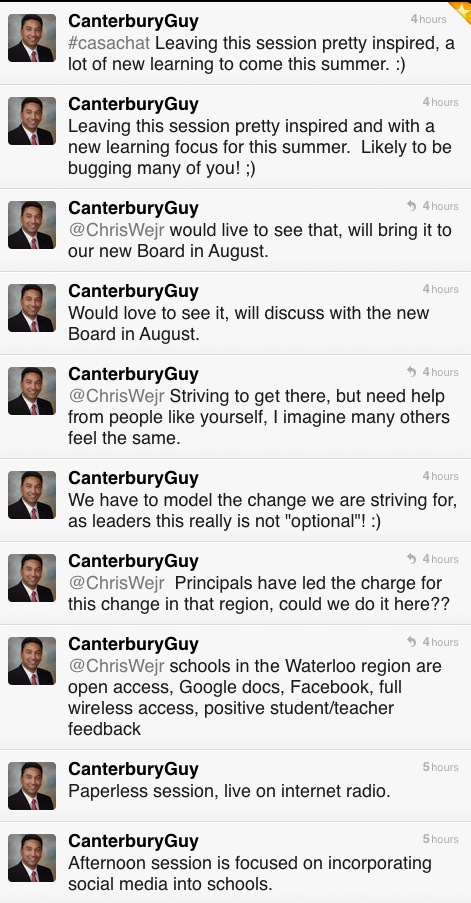
Comments from Twitter

Q&A from Today’s Meet backchannel (originally hosted at http://www.todaysmeet.com/casachat)

Q1: Do teachers friend students?
Yes and no, some do, others don’t. Generally teachers use Facebook groups or fan pages, but
certain functions need the ‘friend’ function to work properly. In these cases, teachers set their
security and privacy settings appropriately and follow professional code of conduct expectations.

Q2: What effort is required by teachers to monitor online content related to classroom use?
This will vary depending on the context, but is done according to our Responsible Use Procedure.

Q3: Who pays for increasing bandwidth needs?
Staff in IT Services monitor usage and need on an ongoing basis. Each year this is factored into our
budget process in the IT area.

Q4: What social media content is searchable?
This depends on particular social media tool. For example, Tweets (Twiiter) are searchable, private
Facebook content is not.

Q5: Is the LMS redundant technology?
No, the LMS provides a course structure and both collaboration and social media tools are used in
conjunction to support student learning.

Q6: How does Quest Radio 1-24 work?
This Internet radio station is hosted at Caster.fm A live encoder
is needed to send personally owned content or content used with permission to the station.

Related Resources

Canadian Association of School Administrators (CASA) conference.

Social Media Drive By

Quest Radio 1-24  Programming Info Watch here for announcements regarding additional broadcasts of this session.

Join a live broadcast on Quest Radio 1-24.

Ed Doadt and Mark W. Carbone

~Mark and Ed

Stratosphere: The ISTE discussion

One of the ISTE sessions I hoped to attend was Michael Fullan’s presentation about his new book Stratosphere. The session seating filled to capacity  quickly and I did not make it in. Subsequently, I wanted to learn what happened at the session and am sharing the following resources related to the session.

Book: Stratosphere: Integrating Technology, Pedagogy, and Change Knowledge by Dr. Michael Fullan.

Mindshare Learning Book Review: Stratosphere by Michael Fullan

Mindshare Learning Video Interview with Michael Fullan

Tweet capture of session

Notes from Tyler Amidon

I look forward to hearing Michael’s keynote at ECOO 2012.

~Mark

What? I’m not normal?

I have been debating about writing this blog post for a while. Yesterday I shared this story with @snbeach while chatting at the PLP Booth. Today, I was sitting in an ISTE workshop listening to @web20classroom (Steven W. Anderson) talk about ISTE standards and school administrators and I heard it again. With this synchronicity,  I am taking these situations as signs to write and publish the post.

The ‘it‘ I referred to was the phrase “you guys are not normal” — and now for some context.

Several weeks ago I attended a Saturday breakfast gathering with a few of our high school teacher technology leaders. Surprisingly, we talked about, well, you know, technology and a passion for transforming teaching to improve how students learn. This particular morning, the discussion focused around Google Docs, publishing, benefits of developing online texts and resources for students — 24/7 access, one stop ‘shopping’, one stop editing, no old handouts floating around, no lost papers ….. well, you get the picture. Why wouldn’t you do this? Needless to say this was a passionate discussion that stayed with me.

Later that same day I was driving in the car with my wife and she asked the magic question: So what did you talk about at breakfast?  I happily recounted the story, trying to maintain the same passion level as the morning discussion. She listened intently, and then at the close of my story commented that “you guys are not normal”. WHAT?????   OK, maybe I (and likely others) are not normal. I will ‘wear the T-Shirt’ but asked that the comment be justified – you know, a few bullets under the title to qualify the comment.

Here are the bullets:

  • you (meaning us not normal types) are self sufficient
  • you don’t panic if something related to technology use does not work properly, even in front of a class or audience
  • you know how to problem solve
  • if you can’t figure it out as fast as you think you should, you have a network of people to help you
  • it is your passion, not everyone wants to invest like this

I thought these were good points — and really, the same context of the ISTE workshop comment.  In reflection, this conversation made me think of a few important things related to moving the educational change agenda along.

  • everyone can learn how to use technology better
  • everyone can become a self sufficient user of technology
  • personal learning networks (PLNs) ARE important
  • we need to be mindful of the best entry point for using technology, and starting the learning curve of independence.
  • the learning is on a continuum
  • supporting people means thinking about gradual release of responsibility
  • empowering people is important

Now, if these ‘everyones’ and ‘we’s’ are teachers and tech support/coaches/trainers, then I think these points are all worthy of consideration as we continue to move the agenda forward. Food for thought for sure.

What does this mean for your PD planning? How will you be more thoughtful about supporting people in their use of technology? How will you help them become more independent?

Please share your comments and stories.

Related Resources
Doug —- Off the Rectord

~Mark

Social Media: It is all about the spark

A little while ago, I had a chance to meet with Bill Lemon, Principal at Preston High School. Bill had agreed to give a perspective about students using social media tools to support their learning. As I anticipated, it was a great conversation, and I captured a great video clip to use at the upcoming CASA conference.

There were two ‘bits’ from our conversation that really stuck with me, and I have reflected on this many times since the meeting.

Bit #1 – Too many people do the ‘social media drive by’ – a quick look, a quick reaction and too often a typical “this isn’t for me”, “what can you really learn/share in such a few characters” or “who would want to get involved with these tools”.

In conversation with Bill, we agreed that the ‘social media drive by’ is a problem. The tools are in fact very deep. You have to learn the tools and spend time using them BEFORE you will understand the potential and impact of social media tools. The ‘social media drive by’ short circuits this process.

Bit #2 – The benefit of social media tools is not necessarily in the short post or tweet itself, but that one connection leads to another, a connection leads to a fact or resource and a fact or resource leads to the next. Stringing these bits together provide the impetus for learning: ideas, content, a new way of looking at something, comparisons and things to research or investigate. It is that spark that often keeps the learning moving along an individualized path that simply would not have been possible without leveraging the use of social media tools.

Lessons learned: Avoid the social media drive by and embrace the potential to make the spark that creates to impetus to learn.

~Mark

Skinny Down Your Technology

The other day I was reviewing some draft system communications with @maryhingley and she commented that we should “skinny this down” to a cleaner more streamlined document.  While the comment regarding the document  we were reviewing was bang on,  it also made a connection for me to an earlier conversation that day about the constant evolution of technology tools. The context of the technology tools dialogue was around the challenge of building capacity in teaching when the tools evolve so quickly.

Fact:  We are all on a continuous  learning curve, new technology,  new apps, new potential to improve improve learning. There is certainly plenty of discussion around the notion of welcoming teachers with this new ‘technology enabled learning’ world – online, web 2.0, anytime, anywhere, digital, shared documents, authentic audience (etc.).

As we become more thoughtful about professional learning, determining the best point(s) of entry and consider learning continuums for staff, there is a greater realization that it is too easy to overwhelm.  People need safe and doable entry points with high success rates.  The fact is, people do not need 100’s of tools to start on their journey.

Challenge:  a call to experienced teachers using web 2.0 and social media tools – skinny down your tool list

Categorize the software, apps and web 2.0 tools you use into the following categories:

a) must have, use daily, addresses some important need

b) use regularly (a few times a week but not daily)

c) once in a while (a few times per month)

d) tried it, don’t use it regularly at all

Skinny down your list and share your suite of must have tools in this google doc.  Include your name, twitter ID, blog/web site and must have list.

Thanks in advance for sharing.

Related Resources:

I just can’t imagine teaching without ….

Cross posted to VoicEd.ca

~Mark

Two Years, One change

The question: Imagine one change in our education system that you feel would be both valuable and “do-able” in the next two years was posted on the VoicEd website, featuring voices in Canadian education. I have cross posted my thoughts on this question here and on the  VoicEd Blog

This is a great question to contemplate. After mulling this around for a few days, I keep circling back to 2 points.

1. How online engagement has changed my own learning and professional growth.

2. While the ideals of education and the qualities of graduates that should be produced by an educational system have, and may remain constant for the foreseeable future, what HAS changed is tools available to support learning and personal growth.

There is growing and strong evidence that students should be online for valuable and positive learning reasons: write, reflect, share, collaborate and establish, cultivate and maintain an appropriate online profile and participate in learning that involves an authentic audience.

Educators need to develop their own personal learning networks beyond their own schools and districts. Educators must experience learning in the same way our students should by role modelling: learning and collaborating online, sharing, reflecting and leveraging the tools of NOW.

This is the world in which we live – a technology enabled world. We need to leverage this to address critical questioning and thinking, engagement, collaborating in a more global sense and writing for a real world audience. Educational experiences need to be personalized and address the ‘anys’ – anytime, anywhere, anything learning for anyone.

As one considers the challenges of moving through stages of change: from the explorers, to early adopters to adoption by the masses and applying the educational context, I think this important shift is for everyone in education, not just the ones who choose this path. The path forward must include being online and connected.

My ‘one change’ would be for Boards of Education to establish personal growth frameworks to engage educators in this environment within the next two years.

~Mark

Note: Cross posted to VoicEd.ca

OASBO IMPAC: The Cloud meets K12 Learning

I was invited to speak, along with Todd Wright and  Bill MacKenzie, at the March 30th OASBO IMPAC committee meeting on the topic of cloud computing and K12 education. My task was to kick off the session with a cloud computing 101 session. Todd (YRDSB) and Bill (UGDSB) followed with their Board’s experiences with online office suites. Their conversation framed the benefits of using online office suites as key tools in writing and collaboration.  Using tools of this type need to have good back end functions to make them worth while for teachers: ease of login (active directory integration), class management tools, the ability for the board to manage both the accounts and content as needed. Built into the strategy are the advantages of learning in the real world with an authentic audience.  The need to teach, embrace and role model good online ethics and digital citizenship were also highlighted.

Part of our role today was to set the stage for the important discussion of privacy and information management as it related to online student learning:

  • legal requirements
  • informed consent
  • protection of personal data
  • teaching students best practice for operating in these environments
  • training staff about the types of data suitable for authoring and storing in the cloud
  • raising awareness
All in all today’s session was a great conversation, with good discussion and excellent questions being asked and explored.  Finding that balance between legal, practical and leveraging the strengths of these online authoring and collaboration tools will be the goal as the IMPAC group looks at guiding the creation of appropriate board policies and/or guidelines.

My slide deck and presentation audio file are available below for your reference.


Presentation Voice File

Other Resources:

Google Terms of Service for Education
How iCloud Works
Evernote
Dropbox
Calgary DSB Web 2.0 Guidelines
UGDSB Cloud Video (youtube)
Google Security Video
IPC: Privacy in the Cloud
Learning in public online

~Mark

Helping the Shift

Overview:  The Connected Educators is based on connected learning communities. Connected learning communities are a three-pronged approach to effective professional development using the local (professional learning community), contextual (personal learning network), and global (community of practice) environments. Connected learners take responsibility for their own professional development. They figure out what they need to learn and then collaborate with others to construct the knowledge they need. Connected learners contribute, interact, share ideas, and reflect.  The book draws heavily on the experience of the authors as members and leaders of connected learning communities.

An inside peak at the chapters:

1: sets the stage for understanding what it is to be a connected learner.
2: makes a case for connected learning in communities.
3: explores the importance of being a learner first, educator second.
4: looks at developing a collaborative culture and a mindset that supports connected learning.
5: invites readers to explore free and affordable technologies and virtual environments that support collaborative learning.
6: guides readers through the steps of implementing a connected learning community.
7: examines how to sustain the momentum of professional learning using scale as a strategy for co-creating and improving a learning community.
8: focuses on leadership system, school, and teacher leadership in a distributive
model.
9: looks at what the future holds for the connected learner and what being a
connected learner means for each reader.

I recently arranged to purchase a copy of this wonderful new resource for each of our (120) school libraries as a resource for all staff as we continue our journey of ‘shift’ along the technology enabled learning path.

Periwinkle sighting: PLP’s  Periwinkle with my Connected Educator book order.

Related Resources

Learn more

Buy a copy

Happy learning and connecting!

~Mark