Category Archives: 21st century learning

Information Fluency

I came across this video today via a tweet from @ijukes. It is certainly an interesting video – food for thought for sure. Check out InfoWhelm and Information Fluency video.

What are your thoughts re the message in the video? Share your reaction in a comment.

~ Mark

Digital Citizenship Symposium

Tuesday March 30th, 2010 was a special day – the day our Board held their first Character Development/Digital Citizenship Symposium. The ballroom at St. George’s Hall was buzzing with energy. The room was filled with administrators, teachers and students. We were about to share a day focused on Digital Citizenship in the context of Character Development and ultimately moving the agenda forward.

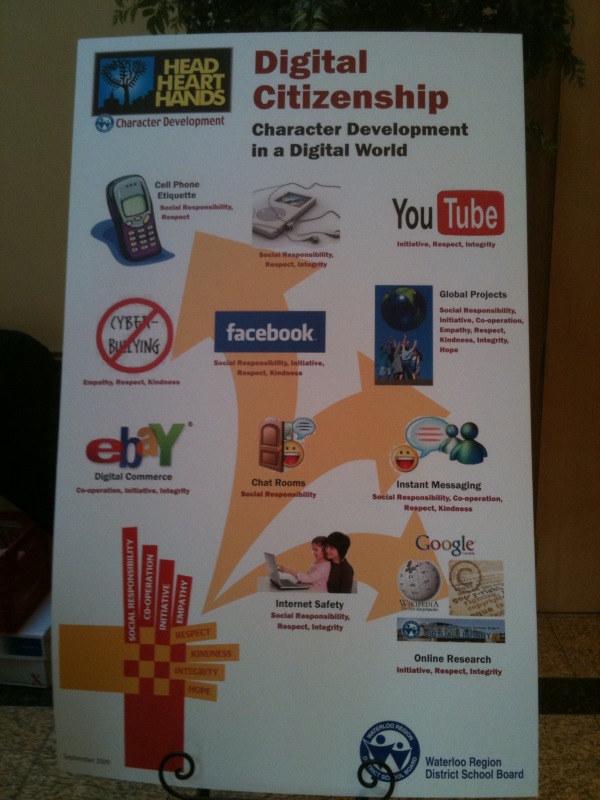
Showcasing our Digital Citizenship poster, in the case a giant one by the registration desk.

The Character Development – Digital Citizenship Program

8:00-8:30 Registration

8:30-8:45 Welcome

8:45 -10:00 Keynote Speaker  – Jesse Brown

10:00 – 10:15 Break

10:15 – 11:00 Morning: Session A – 21st Century Tools of Learning

  • Option 1 Social Media – Networking Tools
  • Option 2 Equity of Access – Adaptive Technologies
  • Option 3 Digital Literacy and e-learning
  • Option 4 Tools for Student Engagement
  • Option 5 Multimedia Projects – Original Work

11:00 – 11:15 Break

11:15 – 12:00 Morning: Session B – Classroom Applications

  • Option 1 Digital Citizenship in the Classroom
  • Option 2 Bitstrips – Literacy
  • Option 3 Creating a Collaborative Online Community
  • Option 4 Digital Citizenship in the Classroom -Ministry Project
  • Option 5 Building Community – Blogging

12:00 – 1:00 Lunch

1:00 – 1:45  Session C ” Your Digital Footprint “ – Panel Discussion

1:45 – 2:00 Break

2:00 – 2:45 Afternoon : Session D ” Where do we go from here?”

  • Positive Impact of Technology – The New A.U.P.

2:45 -3:00 Day Program – Closing

Evening Session for Parents and Community members

6:45 – 7:00 Welcome

7:00 – 8:00 Keynote – Jesse Brown

Jesse Brown, owner of Bitstrips for Schools, recently licensed for use in Ontario schools and host of TVO podcast “Search Engine” kicked off the day with a keynote presentation that tackled three questions:

  • Do cell phones belong in classrooms?
  • Do teachers belong on Facebook?
  • Does the internet make us stupid?

After exploring the ins and outs of these questions, the day moved to the break out sessions. I attended Steve Rensink’s session on using Web 2.0 tools in the classroom and Susan Watt’s session on Digital Citizenship in the Classroom. Both sessions were well done and provided opportunities for all to extend their learning.

The afternoon’s activities started with a panel discussion, which I had the privilege of hosting. The panelists included two secondary school students, a teacher, an administrator and a business representative from Opentext.  The discussion started by allowing each panelist to present their views about how integrity, respect and social responsibility (3 of our 8 key character attributes) relate to Digital Citizenship. Picking up on key points made early in the discussion, I also explored two additional points with the panel:

  • Explain the important differences when interacting in a face to face situation vs. an online environment, and
  • With the ease of copying, sharing and distributing content, give your views on academic honesty.

The final session of the day was prepared by Harry Niezen, Ron Millar and Anita Brooks-Kirkland, our ICT consultants. Seating arrangements for this session grouped students with students, teachers with teachers and administrators with administrators to explore a series of questions focusing on the future of our Acceptable Use Policy (AUP). Each table had a recorder so that the ideas and view points expressed could be captured, reviewed and considered in the rewrite of our AUP which will begin as a followup to this event.

All in all this was a successful event. The day closed with Susan Watt relating some classroom experiences from her point of view as our Technology Support Teacher and me announcing the launch of our new student email system and additional access to social media tools (including Facebook as of September) and our intent to embed their use in curriculum delivery. I think the highlight of the day for me was seeing all attendees – students, staff and administrators seated side by side and learning together. I feel fortunate to have been a part of this important WRDSB event. Congratulations to the event organizing team!!!

Additional Resources

Did you know? (4.0)

Twapperkeeper

The day as captured on Twitter

Social Media policy framework reference

Event Wiki

~ Mark

Adobe Connect Pro Mobile – first impressions

This week I had an opportunity to ‘kick the tires’ on the Adobe Connect Pro Mobile client. I downloaded the free client to my iPod Touch and iPhone.

Session 1

I started a host session on our Board’s server via my laptop. Next, I logged into the session with my iPhone over the 3G network and via wifi with my iPod Touch. Both mobile devices responded well. Audio transmission from the host session was clear, and the available modes of video, chat and screen share all functioned well. In video mode, you see the image transmitted by the host web cam. Chat mode allows you to read and enter text chat information, the same as you would sitting at a computer. Screen mode displays the image being presented via a screen share at the host end.

Session 2

Later in day, I had a chance to try a more involved session with @dougpete. For this session, Doug hosted a session where we connected 5 users – Doug’s iPhone and iPod Touch, my laptop, iPod Touch and iPhone. Again, performance over both the 3G network and wifi worked well. Doug experimented by showing a powerpoint slide show as well as a graphic calculator. Chat and video modes worked well also.

The 1.0 version of the client is quite functional. Audio level settings needed some adjustment to optimize the session communication clarity. We found using the standard earbud style headphones worked better than the speaker audio.

The only issue we found was there was no voice input on the mobile devices. Documentation referred to toggling mute on/mute off to control the mobile voice access. However, we found the icon (see graphic below – 3rd icon from the right in the top row) to allow access to the controls was not actually visible to use. I am sure this will be corrected in a later version.

Overall, very impressive for a 1.0 version free client. I think this opens up a lot of possibilities for mobile learning.

Related Links

~ Mark

IT’s about the students – Reflections

As one would expect, many of the Ontario Association of School Board Officials (OASBO) ICT meeting discussions centre around core IT challenges such as work load, work flow, infrastructure, drive imaging, costs, sustainability, integration challenges etc. and the list goes on. These discussions are valuable and critical for learning, planning, and some sense of provincial alignment. Over the course of the last few months, more and more of these discussions cross into the instructional realm. There is an increasing understanding that all of these core IT functions are intertwined with important instructional ICT needs.

This year I had the pleasure and opportunity to contribute to the planning process of the OASBO ICT Winter Workshop. In order to move the collective IT and ICT agendas forward, there is a need for critical understanding of each other’s (traditional IT and instructional ICT) needs. To this end, the decision was made to begin incorporating an ICT instructional strand into the annual winter workshop.

21st Century Classroom – IT’s about the Students!, this year’s workshop was held Feb. 25th, 2010. Mary Jean Gallagher, Chief Student Achievement Officer and Assistant Deputy Minister – Student Achievement Division of the Ontario Ministry of Education delivered the keynote address. I thought the core message of her address was right on the money.

Mary Jean began by reviewing educational goals of  the provincial government and goals the Ministry of Education. She continued by making the point that IT is a strategic part of every thing we do in both the learning and business sides of education. From a philosophical point of view, there are perhaps only two roles in education:  the front lines work of teaching in the classroom and figuring out how to make this happen easier and more effectively.

In IT, our work certainly falls to the second category. The work that has been done to facilitate data driven decision making is absolutely critical as it drives the analysis and planning processes. This work includes assessment data collection, the OnSIS process and reporting. The impressive result of this work is that, based on international standards, Ontario students have collectively made significant gains over the last few years – and yes, Ontario is being noticed in these international circles. It is important to note that these international tests do not have 100% alignment with EQAO testing. As a result, these improvements are not seen as strongly in the EQAO results. The bottom line – this could not happen without the detailed work of IT supporting the process.

On the instructional agenda, student achievement in the 21st century is all about the work we do together: Dream, Inspire, Achieve. Fundamentally, technology must:

  • be embedded in strong instructional practice
  • enable more powerful pedagogy
  • drive changes to instruction and assessment practices

The important question is how do we make this happen?

  • we need to have more events like this one to keep the discussion alive
  • IT personnel need to embrace conversations of change and accommodating needs
  • teachers and ICT need to clearly define their strategic needs
  • IT needs to deliver on the enablers, such as wireless, guest network access (etc.)
  • collectively, we need to establish an approach to funding, sustainability, support and PD/training

The balance of the winter workshop day had at least one ICT session available within each breakout session, and most importantly, provided opportunities to cross fertilize the IT/ICT discussions. Feedback about the format from participants was extremely positive. During the debriefing session at the business meeting the following day, a motion was made to continue with the instructional ICT strand as a key component of future OASBO ICT workshops.

From my point of view, this was a very successful event with an excellent keynote address and forward thinking discussions. I look forward to keeping this discussion going!

~ Mark
Video Conferencing with Skype

As a long time user of Skype, it is nice to see the use of this powerful, yet free, software package getting greater use in the classroom. Recently we have had a few more teachers in our Board asking to use Skype for classroom projects,  so we have installed it when requested. If it performs well in our network environment, it could easily be made part of our standard setup.

Of the Skype related resources listed below, the first two were of particular interest to me. The Skype an Author project seems like a natural way to connect reading and writing experiences in the classroom with the real world. The blog post outlining steps to create video content for blogs using skype offers some useful tips and could be a great resource in classrooms where blogging is part of the writing process.

One of my PLN members and Twitter user, teacher @zbpipe, has been using skype to connect to other classes to learn folk songs as part of their music and global studies. You can find additional information on Twitter about Skype in the classroom by simply searching for the term ‘Skype’. I keep a ‘Skype’ search open in my Seesmic Desktop application to keep up with new ideas and resources.

Resources

1. Virtual Author Classroom Visits: Skype an Author

2. How to produce video interviews for your blog using Skype.

3. Skype Directory for Educators

4. Skype in Schools wiki

5. Blog Post:  All Schools Should Skype

6. Download Skype Software

Give it a spin and enjoy the video conferencing!

~ Mark

Edu chit chat at ground level

We kicked today off with a lovely brunch hosted by very close friends – a perfect way to start the day! Many of the people in attendance are connected to the education scene in one way or another. Collectively we covered the range of parents, secondary teachers and department heads, vice principal, recently retired principal, university profs, soon to be teachers and me.

Of course, there was a healthy round of catching up on what is happening with the various families, plans for the festive season and, teachers being teachers, some ‘shop talk’ about what everyone was doing. So …. when it was my turn, I dived into the Ontario PLP experience I was enjoying and chatted about the potential powerful uses of social media tools in our system. Well, talk about start a multi dimensional conversation. I think we could have had a 2 day symposium with the brunch gang to explore the pros and cons all of the various options.

As a group, we represented decades of solid teaching experience. As a group, we represented an extremely diverse experiences in the areas of using, adopting (and embedding) technology in the way we teach, work and live.  We hit the whole range (minimum to maximum) of personal comfort levels, willingness to embrace new technologies, student engagement, the powerful potential of the tools available today and how the use of these tools would/could impact education in positive ways — a fascinating discussion to say the least.

We did cover one last point, and I saved it to last so it could stand on its own for emphasis — and it really struck a chord with me. The general consensus was that the typical teacher of today is not ready to embrace social media tools at this point in time for a number of reasons. At ‘ground level’

  • only a small percentage actually use social media tools
  • most teachers are not comfortable with the tools themselves, let alone embrace them in teaching
  • most teachers have not thought about embracing the power of social media in useful ways to support curriculum delivery
  • many teachers are not sure about the level of engagement the use of these tools may bring
  • some are curious about this ‘new world’

So, in yet another setting, we end up back at some of my favourite pondering points:

  • building communities and cultures of sharing
  • getting more teachers involved
  • etc., you can read my ‘list’ in an earlier blog post from this week

The important aspect of arriving at my favourite pondering points (again) is that I really trust the observations, opinions and insights that this group has about where things are at ‘in the field’. In some ways, this conversation was a reality check. Is the gap getting wider? In general, are we ‘preaching to the choir’?  More thinking and planning about systemic change, impacting the educational front etc. In some ways this is a nice lead into Will Richardson’s question, “what changed in 2009?”  Watch for an upcoming blog post where I will share my views on what changed.

~ Mark

Class visit for iPod project launch

This past week had a number of highlights:

  • Tuesday night Ontario Meetup online session with Alec Couros
  • Discussions with school administrators about content filtering and system readiness for change
  • iPod Touch project launch
  • a presentation from @AnitaBK to our Board’s consultant staff regarding our new library program design
  • ongoing discussions with @ron_mill, @hniezen and @rebrouse about keeping the conversation alive, keep pushing the envelope

So much to blog about, and not enough available time to blog this past week. Why are days only 24 hours long???

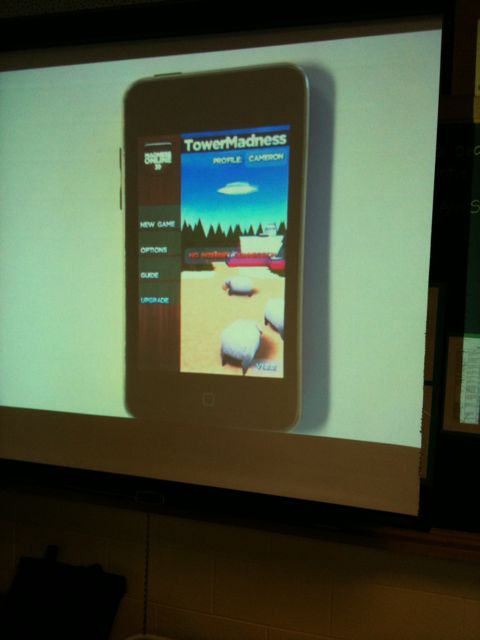
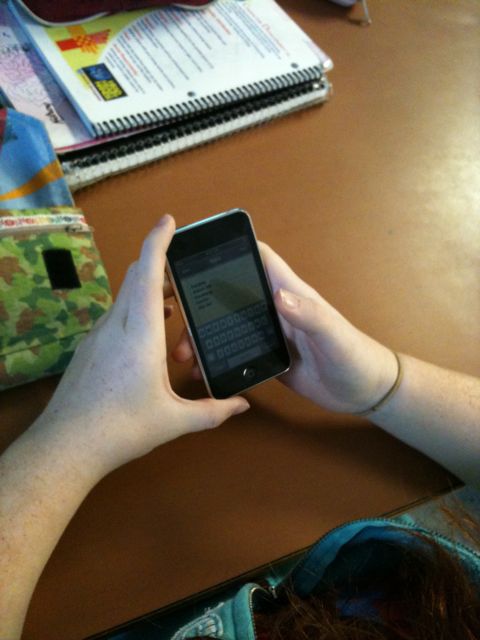
Thursday, I had the opportunity to visit the classroom of @kimsten for the launch of the iPod project. This particular class has been issued a set of iPod Touch units to use on a 1:1 basis for the balance of the school year. The iPods will be used both at school and at home.

The students had been issued their iPods a day or two before the ‘launch’. With expectations reviewed, students were busy with their first assignment – check out the iTunes store to see what applications were available and which ones captured their interest.

I appreciated the opportunity to attend the session and feel the excitement in the room as students eagerly waited for their turn to demonstrate their application choice to the class with the document camera. As one might expect, many of the students had investigated the games section. I was impressed with the number of students that had also explored other areas of interest and were prepared to present these choices. Chatting informally with the students, they shared a broad range of interests in the applications including google earth, wordpress (for blogging), puzzle/problem solving, interactive whiteboard (shared drawing), creation tools for art and communication tools. Some students were already taking typing lists to capture the choices of other students with the iPod notes application.

I know this will be an interesting learning opportunity for the class, and I look forward to being involved as they travel this mobile learning journey.  A few photos from my visit are displayed below.


Following the student presentations, the class was off to the lab to do a collaborative writing session using etherpad with @wattsup56.

~ Mark

Elluminate with the Ontario PLP group

Monday afternoon, we held an online Elluminate session with our Ontario PLP group with Will Richardson. For many of the participants, this was their first experience in this type of environment, so the session began with a tour of the features and controls which included screen layout options, audio (mic) testing, communication indicators (thumbs up/down, applause, I have a question, stepping away/I am back etc.) and  chat window functions.

I was really impressed with the level of participation and the comfort level displayed by the meeting attendees throughout this first session. I wanted to share some further thoughts about a discussion point we have had within our Ning group and during this online session.

The discussion topic centred around the use of the term ‘lurker’. In the online community this term is generally accepted as way to refer to people who ‘look around’ and seemingly watch the activity. The points in question are, independent of the common use of the expression:

a) Is the use of this term appropriate?  and

b) how does its use make you feel?

From my own point of view, I feel the use of this term has a negative connotation to it. While I am absolutely clear about the use of the term in this context, I would rather see a term used that presents a positive image. I see online participation occurring in three different categories:

  • Role 1: People who participate by reading and observing, more of a quiet studier.
  • Role 2: People that fall into this role are the connectors. They share information by forwarding emails, reposting blog articles, retweeting Twitter posts etc.
  • Role 3: People in this 3rd role are the initiators or contributors. They author their own blog posts, share social bookmark lists, respond to other people’s blog posts and suggest resources for others to be aware of or review.

Depending on the learning experience, a person move progress through all of these roles with a particular tool as well as having an ‘overall role’ with their online experience.

I was particularly interested in the small group discussion that occurred within the structure of our session. Will gave us a list of 7 big shifts, divided us into groups of 6 and asked each to have a discussion based on which of the big shifts resonated with them. The discussion in my group revolved around 2 shifts –

a) synchronous to asynchronous (and back again) and

b) place/time dependent to  anytime/anywhere/anyone learning

From my point of view, these are the two elements that are shaping our current learning opportunities and community development within the Ontario PLP group. Everyone is actively involved in reading and responding to posts in the discussion forums, blogging, connecting on Twitter etc. Each day provides an opportunity to embrace a steady trickle of learning and collaboration through the use of web 2.0 tools. In depth discussions are occurring, questions and new ideas are being posted, and new points of view are being explored. Factoring in our face to face kickoff, and the elluminate session, all of this activity falls into the 2 shifts or categories I identified. This opportunity is truly a synchronous/asynchronous anytime, anywhere, anyone learning journey.

This is certainly a fantastic opportunity and I am delighted to be part of the Ontario PLP leaders and learners team.

~ Mark

Reading: F vs Z patterns

At the recent ECOO conference, I was really fascinated by Ian Jukes’ presentation that highlighted the differences in reading patterns of many children today, especially if they are web users. Ian explained that the brains of this generation of students are actually wired differently than brains of previous generations of students. Of course, there are many implications for student learning if we take these findings to heart. Key findings include:

  • the brain is constantly learning
  • eye movements occur in different patterns, typically more F shaped than the Z shape we (adults) use
  • as a result, students of ignore areas of a page or screen that we might assume contains important content
  • students learn better when multimedia content is included
  • students view graphics before text
  • students read colour before black on white
  • pace of lesson delivery plays a factor in student engagement (Note: varies from student to student, but in general is faster than adults process information
  • tests show that people visualize content at a 90% rate

Now, think about the ramifications of not learning more about the student ‘digitally wired’ brain. What are the implications of:

  • anchor chart design
  • poster design
  • print and textbook layout
  • software screen layout design
  • web page design

I had a chance to share some of this information at our table discussion regarding effective use of anchor charts. This lead into a really engaging discussion about how to increase awareness and change our behaviours in the area of text design.

Since the conference, I have located a number of internet based resources on this topic which I have shared below.

Related Reading

F shaped reading patterns
Eye tracking patterns
Graphic Design layout patterns related to scanning patterns
F shaped reading patterns for web content
The Black Art of web publishing
The Luon blog post
Reading patterns

Enjoy the learning and thinking.

~ Mark

Twitter users bring perspective to classroom activity

Last month I had the pleasure of attending at trip to Lawfield Elementary School. I wrote about some of the things I learned and observed from my visit in a earlier blog post. One of the highlights for me was meeting teacher Zoe Branigan-Pipe. We had a brief opportunity for an engaging dialogue that day about the integration of technology and social media tools into classroom activities, and since then have been following each other’s activity on Twitter.

This past week, an interesting sequence of events occurred. One of  Zoe’s students wrote a blog post about a recent assessment activity in which the students were permitted to collaborate prior to submitting their answers. The student’s blog post was considering this experience from two points of view:

1. Is this cheating?  Should we be approaching assessment in this way?
2. Is this collaborating?

You could tell from the blog post that the student was really struggling with ‘what felt right’, and was clearly surprised by the collaborating opportunity.

Later that evening, Zoe posted a comment on Twitter asking her educator based PLN group to have a look at the student’s blog post and provide some feedback (comments). Within a couple of hours, at least 12 people, myself included, read and posted comments on the student blog. The common theme of the posts were:

  • knowledge is important, but it is also important to develop other work and life skills too
  • collaboration skills are needed and used in the workplace
  • development of collaboration skills is important for future success
  • take advantage of opportunities to participate in collaboration and consensus building opportunities

I have not had an opportunity to touch base with Zoe to find out more about the student’s reaction to the comments, but I will have an opportunity to do so within the next few days. I thought this was a great example of a teacher using their PLN group to provide real life context to a classroom situation via social networking tools. Well done!

~ Mark