All posts by markwcarbone

I have 36 years experience in K-12 education. I have been fortunate to work in many different roles including teacher, department head, ICT consultant, IT Manager and CIO. Personal interests include performing in the Venturi Winds woodwind quintet, the Cambridge Symphony and the KW Community Orchestra as well as composing and arranging music. Connect, Learn, Reflect & Share - make a difference today!

Resources for PLP Live

Resources for PLP Live

TPACK: Technological Pedagogical Content Knowledge

From Idea to Reality

Administrator Perspective

From the Field: Educators in Action

I'm a PLPeep!

~Mark

iO Dock review

I finally had an opportunity to try the Alesis iO dock dock for the iPad. The iO dock is a docking station that provides a full state of audio input/output connections for XLR and 1/4″ connectors. The unit also has MIDI in, out and USB connections as well as a video out. The iPad simply slides in, and you can use your favourite recording application. The unit fits both iPad 1 and iPad 2 designs through the use of an adjustable sleeve that fits under the iPad 2.

The iO Dock and GarageBand

Last weekend I worked with 2 of our family musicians to produce a sample recording as a ‘test run’.  The recording was created with a mic’d guitar, electric violin (see below) and a Mackie mixer directly interfaced with the iO dock. Enjoy this personalized arrangement as the fruits of our session. Listen here.

Meet the electric violin:

:::::

There are many different recording apps available on iTunes. Here are 3 that I have used:  Recorder,  Blue FiRe  and  GarageBand .   This particular project was done with Blue FiRe.  The Recorder app has an nice process for easy process to transfer the recorded files through a local wifi browser connection.

Perhaps the iO dock has a place in your studio or classroom.

~Mark

Taking Time to Notice

This morning I pulled into a parking lot, and happened to notice how the rain drops were glinting in the trees. I took a moment to pause and capture these pictures with my iPhone.

Shot 1

Shot 2

Shot 3

~Mark

Technology Enabled Learning: Leadership, Change, Capacity Building

Last week I connected with WRDSB Principal James Bond to have a conversation about his learnings over the last year with the major tablet initiative in his school. We had a great discussion, and James agreed to me writing this blog post based on our conversation.

I kicked off the conversation with a few questions to frame our discussion.

1. How do you see the role of the principal in terms of leadership in the area of technology enabled learning?
2. What were the key ingredients to building capacity among the staff?
3. How did you approach changing what was the norm in your school?

Shift

Shift takes a lot of effort, and you have to be prepared to work hard to move towards the desired result. Another important aspect is respect – respect that teachers, just like students, are a continuum of learning. The school leader can support teachers learning at their own level and setting obtainable growth targets. It is helpful to help people see the benefit in change. They have to want to invest the time and energy required. Support staff in conquering their techno fears – let it go, don’t focus on it. In today’s world, the students may very well know more about the ‘web world’, but that is OK. Teachers need to learn how to leverage technology to improve student learning, not know absolutely everything about it.

Role of the School Leader

The role of the school leader is multi facetted in bringing technology enabled learning alive in the building. Some ideas that made a significant difference with the staff were:

  • learn with your staff, role modelling is important
  • create a culture of learning and sharing among staff (note: over time, staff build the capacity to support each other)
  • share successes teacher to teacher, take pride in “look what I did” – seeing makes a difference.
  • staff meeting activity: share one thing you learned from another staff member
  • set up a staff tour – have each teacher show one way they used technology to support and improve learning
  • work with the staff to make it as easy as possible for teachers to try things
  • Examples: mount smart boards – less messing with cords and set up, purchase document cameras for each room to avoid moving/setup
  • support the acquisition of technology through all suitable avenues
  • consider the impact of radical change vs. gradual change with continued success
  • create the right culture: There will always be new tools and new technology. Is it always about student learning.

Instructional Practice

Technology enabled learning must be built on instructional excellence. Consider the change, pedagogy and technology elements. Staff may be a bit uncomfortable, but should not be totally overwhelmed with technology.  In the end, technology well used is almost invisible in the learning process. A great place to start with technology enabled learning is connecting use to our Board identified high yield instructional strategies and the school success plan. Make a point of sharing successes. Teachers talking to teachers is an important part of the process.

Ideas Going Forward

Thinking of the system perspective, we need to find better ways to celebrate technology enabled learning and raise awareness. Seeing makes a difference. It is important to keep creating opportunities to share. Perhaps leveraging area meetings and leveraging opportunities through family of schools meetings is one avenue.

Other Resources

Follow James on Twitter
James’ Blog
Park Manor School
Learn more from James’ session at ECOO 2012

~Mark
Cross posted to Ontario ConnectED Leaders and VoicEd.ca

PLP Live: PD to make a difference

Join me at #PLPLive12a full day of educational SHIFT, issues that matter, 9 inspiring keynotes.

When: 9/28

Where: in Philly.

Check details at PLP Live.

PLP Live 2012 - Friday September 28 - Philadelphia

CATC Camp 2012

Each summer, for the past 21 years, the Waterloo Region District School Board has run a 3 day self directed, professional development session focused on technology enabled learning. The event is known as  CATC By the Water. CATC is our acronym for Computers Across the Curriculum. In our Board, CATC is part of the language and culture.

We had a lot of positive feedback on the framework provided to start the day, so I thought I would share a few highlights here.

Framework Overview

Welcome to CATC Camp 2012 and a special welcome to new campers this year. You are in for a great 3 days. What makes this great is that you are in charge of your own learning and we have an awesome facilitator team to support you. I wanted to touch on a few points to provide a framework to help you keep your thinking and learning aligned with Board goals.

  • a new strategic plan will be released in the fall, with technology enabled learning being one of the focuses
  • one aspect of this is a large expansion of the formal Ministry of Education e-learning courses
  • Ministry of Education  blended courses will also be offered
  • the Futures Forum project will be expanded in each secondary school
  • we will embrace online writing projects in grade nine English programs
  • a draft document outlining success steps for a 5 year digital learning plan has been initiated

What do we mean by technology enabled learning? 

  • technology as a natural part of the learning environment (not ‘over there’)
  • usage to support and improve learning, not teaching technology for technology’s sake
  • aligned use of technology with our main suite of products (blogs, wikis, GDocs, FBk, Twitter, YouTube, OSAPAC, Desire2Learn)
  • instructional uses of technology that align with our identified 5 high yield strategies AND communication & collaboration
  • consideration of the 4 any’s: anytime, anywhere, anything, anyone learning
  • student engagement
  • authentic audience
  • consideration of TPack (Technology, Pedagogy and Content) – finding the sweet spot

To this end, the recently passed (June) Board budget included funds for mobile equipment for each school and additional classroom supports. We will establish a plan to address wifi in portables over the next 2 to 3 years, and start to address this need during the 2012/13 school year. Related internet and infrastructure upgrades are under way to support student learning and achievement.

Things for you to consider as you learn:

  • familiarize yourself with the new Responsible Use Procedure (RUP)
  • consider how you will role model ethical use of technology for your students
  • determine how will you promote digital citizenship within your classroom
  • now that we have wifi access in all school instructional areas, how will you leverage this in your classroom?
  • how will you use both desktop and mobile devices available in your school?
  • have you thought about taking advantage of BYOD?

Spend some time pondering possibilities. Thank you for being here. Have a fantastic learning experience.

~Mark

First Edition

The first edition of the ConnectED Weekly
is out! Take a look! – some great reading.

~Mark

Back Seat Conversation

On our recent driving vacation, it was quite interesting to listen to the back seat discussion from two teenagers – my daughter and a long time close family friend. As one might expect, there was lots to share, and the conversation easily wandered from topic to topic without ever missing a beat. I was interested in how various aspects of technology wove through the discussion.

This past year, each of the girls took at least one elearning course. Things they liked about the elearning environment were:

  • flexibility
  • scheduling your own time
  • independence
  • enjoy working online (not paper based)
  • work with students with similar abilities (profiles of online learning candidates)

These girls live in a connected world. They talked about being connected, in a good way. They can barely remember not being connected. I note their keen ability to find free wifi networks to connect to. Both girls read and follow blogs. Both write their own blogs based on their own individual interests. One has a tumblr based photography blog to track and share photography of interest. The other reads and writes fan fiction, and uses other social media tools to develop an audience.  Without any prompting from me, they talked about finding people with like interests, sharing and developing a “real audience” to share their interests and passions.

I couldn’t help but take note of their their ongoing but subtle search for wifi – not because they didn’t enjoy the vacation activities, but because they are passionate about this aspect of their lives. They are used to being connected with wifi at home and school. Being online is simply part of their lives.

Classroom activities need to tap student passions. I encourage all teachers to find way ways to use and leverage online sharing and collaboration tools to help capture student passion for learning.

~Mark

A little nature, tech and creativity

While on vacation this summer, we took some time to visit the Hopewell Rocks. We have been there before, and certainly looked forward to the return visit as it is an amazing place. On this particular day, we arrive about 2:00 p.m. to observe the water at high tide, then returned at 6:00 p.m. to explore during the low tide time of evening. I am still astounded at the 41 foot vertical difference in the high tide, low tide water heights.

High Tide

Low Tide


While walking around, a number of us noted a bird screeching from high up one of the rock cliffs. It turned out that the bird was a baby Peregrine Falcon, almost old enough to fly. Unfortunately, I did not have a high powered camera with me, and the lighting was somewhat on the dark side, so it was time to get creative.

The following 3 pictures were taken using an iPod touch ‘looking’ through a set of binoculars. Considering the distance, lighting and make shift approach I was able to get some interesting shots.

Falcon 1

Falcon 2

Falcon 3

~Mark

CASA Chat: Social Media in the School Community

CASA Conference Presentation Resources

Overview: This presentation covered the use of social media tools in the Waterloo Region District School Board as things are now. Time was also spent talking about the journey and the challenges.

Video Samples from the presentation:

Twitter
Facebook
Edmodo
Student Perspective
Student Trustee
Teacher Perspective
Principal Perspective

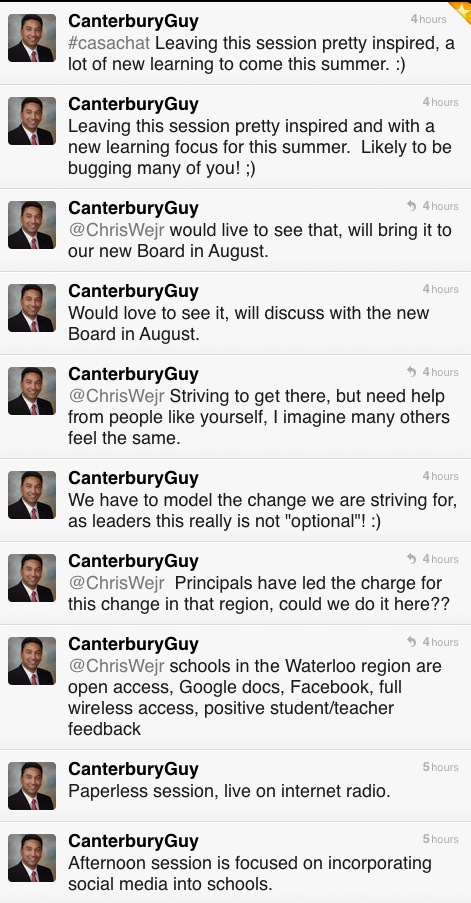
Comments from Twitter

Q&A from Today’s Meet backchannel (originally hosted at http://www.todaysmeet.com/casachat)

Q1: Do teachers friend students?
Yes and no, some do, others don’t. Generally teachers use Facebook groups or fan pages, but
certain functions need the ‘friend’ function to work properly. In these cases, teachers set their
security and privacy settings appropriately and follow professional code of conduct expectations.

Q2: What effort is required by teachers to monitor online content related to classroom use?
This will vary depending on the context, but is done according to our Responsible Use Procedure.

Q3: Who pays for increasing bandwidth needs?
Staff in IT Services monitor usage and need on an ongoing basis. Each year this is factored into our
budget process in the IT area.

Q4: What social media content is searchable?
This depends on particular social media tool. For example, Tweets (Twiiter) are searchable, private
Facebook content is not.

Q5: Is the LMS redundant technology?
No, the LMS provides a course structure and both collaboration and social media tools are used in
conjunction to support student learning.

Q6: How does Quest Radio 1-24 work?
This Internet radio station is hosted at Caster.fm A live encoder
is needed to send personally owned content or content used with permission to the station.

Related Resources

Canadian Association of School Administrators (CASA) conference.

Social Media Drive By

Quest Radio 1-24  Programming Info Watch here for announcements regarding additional broadcasts of this session.

Join a live broadcast on Quest Radio 1-24.

Ed Doadt and Mark W. Carbone

~Mark and Ed